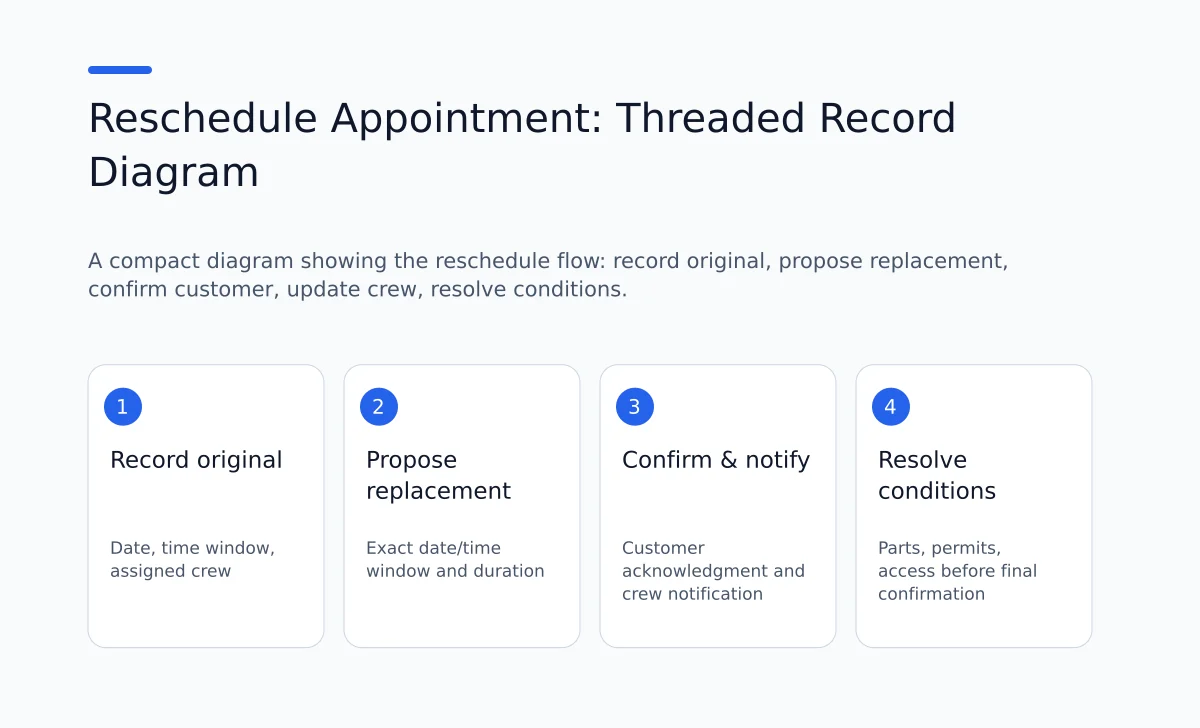
When you must move a scheduled service appointment, record and confirm at minimum:
- The original commitment (date, time window, technician/crew assigned).
- The reason for the change (customer request, parts, weather, crew issue).
- The agreed replacement date and time (include time window and time zone when relevant).
- Customer acknowledgment of the replacement (explicit acceptance or documented refusal).
- Crew/technician assignment and whether that assignment changed.
- Parts, tools or paperwork status that affect the visit.
- Any unresolved questions or conditions (access, pets, parking, payment, permits).
- The office owner for the change (who made it) and the timestamp.
Keep the change with the customer record so another person can pick it up without rebuilding the conversation. The scripts and worksheets below are suggested office practices you can adapt to your own scheduling process.
Why track these items
The office team and the field crew operate on a shared schedule. Missing or incomplete records produce repeated calls, missed appointments and wasted travel time. A clear record reduces the chance of a second move by ensuring the office, crew, and customer all understand the new plan and any outstanding needs.
Use the checklist as an office process. How you save notes, set reminders, or notify a crew depends on the tools your business has configured.
Core reschedule checklist (office action list)
Use this checklist whenever you change a confirmed appointment. Record each item in the customer's thread so the whole team can see it later.
1) Original commitment
- Record the original date, time or time window, and the technician or crew that was assigned.
- Why: this is how the customer remembers the promise and how the crew knows what they gave up.
2) Reason for change
- Note the reason in one sentence: "parts delay," "customer request: work rescheduled," "crew illness," "weather hold." If you need a longer note, add the expected follow-up.
- Why: helps future triage and explains urgency (for example, parts delays require follow-up to avoid repeat moves).
3) Agreed replacement time
- Record exact date, start time and the expected duration or time window. Include time zone for out-of-area work.
- If the replacement is a window (for example 9:00–12:00), confirm whether the customer prefers a morning or afternoon arrival.
4) Customer acknowledgment
- Record the customer's affirmative confirmation. If confirmation is by voice, note the staff member who confirmed and the time. If by text or email, copy the reply into the thread.
- If the customer refuses the proposed time, record the refusal and any alternative they offered.
5) Crew or technician assignment
- Note whether the originally assigned technician stays assigned or if another person was assigned instead.
- If crew changed, note any additional qualifications the new technician must have (example: the qualifications and support required for the actual job).
6) Parts, permits and special instructions
- Record parts status: "on truck," "ordered, ETA 2026-10-20," "needs preapproval" and whether the appointment remains contingent on parts arrival.
- Record access and onsite conditions: where authorized staff can find access instructions, property manager, pet restrictions, permit needed, elevator access, stairs.
7) Outstanding questions and next steps
- Itemize unresolved questions that must be answered before the visit: will water be off, will power be required, is a permit needed, will the customer be home?
- Assign each question an owner and deadline.
8) Avoiding a second move
- Before finalizing the replacement, explicitly check: crew availability, parts availability, special tools, and any open questions that would force a return trip.
- If any item is unresolved, either (a) delay confirming the appointment until the item is resolved, or (b) mark the appointment as "conditional" and list the outstanding condition clearly in the record and the message to the customer.
9) Notification and time-stamping
- Record who made the change (name or initials) and the timestamp. Notify the field crew and file a short note in the job thread.
10) Follow-up reminder or confirmation
- As an office action, set reminders using the calendar or dispatch tool your team has configured. Include a link to the job record so staff can check the agreed arrangement.
Script templates and message examples
Phone script (office to customer):
"Hi, this is [Name] from [Company]. We have your service appointment originally scheduled for [original date/time] with [tech/crew]. Due to [reason], we need to move that appointment. Would [proposed date/time window] work for you?"
If customer accepts: "Great. I have you confirmed for [new date/time window]. The technician will arrive during that window and the estimated duration is [duration]. Is there anything we should know about access or parking?"
Then record the acceptance in the thread with staff name and timestamp.
If customer refuses the proposal: "I understand. What days or times work better for you?" Record alternatives and ownership of follow-up.
Text or email message (concise template):
"Hi [Customer name], this is [Company]. Your appointment scheduled for [original date/time] needs to move because [reason]. Can we reschedule to [new date/time window]? Reply YES to confirm or reply with a better time. Thanks."
When you get a text reply, copy the customer reply into the thread and update the appointment record.
Two labeled hypothetical examples
Example A: Parts delay for a water heater replacement
- Original commitment: 2026-07-14, 8:00–12:00, Crew A.
- Reason for change: replacement tank delayed by supplier; ETA 2026-07-15.
- Agreed replacement: customer agreed to 2026-07-16, 9:00–13:00.
- Customer acknowledgment: customer replied by text at 10:12 with "OK for 7/16 morning." Staff note: "Confirmed by text Lucy, 2026-07-13 10:15." URL to thread attached.
- Crew change: Crew A remains assigned; the crew must review the revised job details before the visit.
- Parts: ordered, supplier ETA 7/15; conditional appointment depends on parts arriving 7/15. Owner: office staff to confirm parts arrival by 7/15 3pm.
- Outstanding question: customer requested removal of old tank; note added that a disposal fee may apply and will be confirmed on 7/15.
- Avoid second move: staff will confirm 7/15 whether parts arrived; if parts delayed, outreach to customer and agree on an alternate date.
Example B: Customer request to move due to personal conflict
- Original commitment: 2026-08-01, 1:00–4:00, Tech B.
- Reason for change: customer asks to move due to contractor conflict.
- Agreed replacement: 2026-08-04, 9:00–11:00.
- Customer acknowledgment: confirmed by phone and follow-up email; thread includes email text.
- Crew: Tech B unavailable on 8/04; Tech C assigned and note added: "Check Tech C has the qualifications needed for this job before assigning it."
- Parts: none required.
- Outstanding questions: none.
- Avoid second move: confirm Tech C has keys, tools, and confirmed schedule block.
Edge cases and how to handle them
1) Parts-dependent visits
- If a visit depends on parts, label the appointment as "conditional: parts ETA [date/time]." Do not mark the appointment confirmed publicly until parts are received or a contingency plan is set.
- If the customer accepts a conditional appointment, clearly state the contingency and provide an expected update date.
2) Customer cannot confirm immediately
- Offer a short hold window: "We can tentatively hold [proposed window] until [date/time]. Please confirm by then or we will release the slot." Record who set the hold and the release time.
3) Weather or access delays
- Record the nature of the risk and include an escalation plan: who will call the customer if the crew cannot reach the site, when staff will next update the customer.
4) Multiple technicians or permit-required jobs
- If a permit or specialist is needed, confirm permit status and specialist availability before confirming the rescheduled appointment.
5) Payment or invoicing concerns
- If payment or preauthorization is needed, ensure invoicing is attached to the customer thread and that the scheduling note records payment status. Note whether the appointment is contingent on payment or approval.
6) Commercial or multi-tenant sites
- Record any required site contact, access window, and vehicle restrictions. If property management must sign off, include that contact and a deadline.
Who must see the change
At minimum the following must have access to the updated record:
- The office staff member who manages dispatch.
- The assigned technician or crew lead.
- The customer (confirmation message).
- Any estimator or salesperson with responsibility for the job.
Keep one current appointment record and tell each person where to find it. Avoid sending several slightly different copies of the plan across separate messages.
Checklist worksheet (fillable)
Copy this block into your scheduling tool or print it as a worksheet. Use one worksheet per rescheduled appointment.
- Job ID or Customer name:
- Original appointment: [date] [time window] [assigned crew]
- Reason for move:
- Proposed replacement: [date] [time window] [duration estimate]
- Customer confirmation: [Yes/No] [method: phone/text/email] [staff name & timestamp]
- Crew assignment: [unchanged / reassigned -> name]
- Parts/tools status: [on truck / ordered ETA / not needed]
- Access instructions and onsite conditions:
- Outstanding questions (list each with owner and deadline): 1) 2)
- Conditional appointment? [Yes/No] If yes, list conditions and expected resolution date:
- Who made the change (office staff): [name] [timestamp]
- Crew notified? [Yes/No] [method]
- Confirmation reminder scheduled? [Yes/No] [date/time]
- Notes for avoiding second move (explicit):
Hypothetical filled worksheet
- Job ID: SMITH-1045
- Original appointment: 2026-09-01 8:00–12:00 Crew A
- Reason: supplier delay for filter cartridge
- Proposed replacement: September 3, 2026, from 9:00 a.m. to noon
- Customer confirmation: Yes via text, staff Lucy 2026-09-01 11:05
- Crew assignment: Crew A unchanged
- Parts: ordered, ETA 2026-09-02 16:00
- Access: use the approved access instructions available to the assigned crew
- Outstanding questions: confirm filter orientation (owner: tech lead, deadline: 2026-09-02 2pm)
- Conditional: Yes (depends on parts arrival 9/02)
- Change made by: Lucy 2026-09-01 11:05
- Crew notified: Yes, dispatch note 11:10 email
- Confirmation reminder scheduled: Yes, 9/02 3pm
- Avoid second move: confirm parts arrival before 3pm 9/02; if not received, offer alternate date 9/06.
Assign an owner for the change and for unresolved items
Every reschedule should have a named owner in the office who will track unresolved items. Without a named owner, items fall between shifts and the risk of a second move increases. The owner is responsible for three actions before the next commitment depends on them:
- Confirm parts or approvals (if any).
- Confirm crew availability and tools.
- Confirm customer acknowledgment and any access details.
How to avoid a second move: a short decision flow
-
Does the appointment require parts or permits? If yes, confirm ETA. If ETA is after the requested appointment, do not confirm unless the customer explicitly accepts the conditional plan.
-
Does the new slot have the required crew and tools? If not, either assign an appropriate tech or propose an alternate slot.
-
Are there access constraints the customer must confirm? If yes, get the confirmation before the appointment is finalized.
-
If any of the above are unresolved, either (a) hold the slot as "tentative" and document the release date, or (b) offer a different slot that avoids conditional items.
Common failure modes and detection
-
Failure mode: appointment marked confirmed while parts are not available. Detection: parts status field not updated by the parts owner. Fix: assign parts owner and a 24-48 hour reminder.
-
Failure mode: crew not notified of reassignment. Detection: crew log shows no acceptance or crew's calendar missing appointment. Fix: require crew acknowledgment and add a dispatch task that must be ticked off.
-
Failure mode: customer thinks the appointment remains on the original date. Detection: inbound calls about appointments on original date. Fix: require explicit customer acknowledgment and copy the confirmation into the job thread.
One recommended office control is to require two confirmations for a reschedule that will affect field travel costs: (1) staff to crew confirmation and (2) crew acceptance in the dispatch tool. That is a recommendation and not a claim about any product button.
How to measure whether your reschedule process is working
Track these metrics weekly during busy season:
- Repeat-reschedule rate: the number of appointments moved more than once divided by the number of rescheduled appointments. Track extra site visits separately.
- Missed-confirmation calls: inbound calls from customers asking whether the visit is still on the original date.
- Conditional appointment failure rate: percent of conditional appointments where parts or permits did not clear in time.
Compare like periods and record why appointments moved. A small sample can show problems to inspect, but it does not establish that a process change caused an improvement.
Limitations and practical notes
- If your team uses separate tools for dispatch and customer threads, you must duplicate reschedule notes unless the tools integrate. This duplication increases the chance of mismatch.
- A conditional appointment still counts as scheduled in some calendars; mark condition explicitly and treat as tentative until conditions are cleared.
- If the crew has mobile connectivity issues, record confirmations in both the office thread and the crew's preferred communication channel.
Hand the change over between office shifts
Before finishing a shift, leave a short note that separates what is confirmed from what still needs a reply. The next person should be able to see the latest appointment, the last customer contact, the unresolved condition, and when an update is due. Keep the original appointment in the history rather than leaving it as a second active booking.
For example, a proposed Thursday visit may still depend on the customer arranging access. Write that the Thursday window is proposed, name the person waiting for the reply, and record when they will follow up. Avoid a note that only says moved to Thursday. That wording can lead dispatch to send a crew while the customer believes the time is still being discussed.
When the reply arrives, update the same record and tell the people who were waiting on it. Check that the old slot is released according to your scheduling process, that the new slot has the right crew, and that the customer message states the final arrangement. If the customer changes their mind again, record that as another event so the reason remains visible.
Put one clear record into daily use
Choose the place your office already checks before dispatching work. Use the worksheet there for the next appointment that needs to move. Ask a colleague who did not handle the call to explain the new plan from the record alone. Any detail they must ask you for is a useful gap to fix.
MaxQOS brings messages, estimates, appointments, and billing details together with the customer. Its scheduling workflow includes choosing a time, assigning the team, and reviewing the job details. Those capabilities provide a place to keep the revised plan alongside the surrounding work. Your staff still need to confirm the customer's agreement and check that the crew and required items are available.
You can read the MaxQOS documentation when evaluating how the workspace fits your process. Start with a real scheduling need and check the available setup before relying on a reminder or other automated action. To review the product and available plans, explore MaxQOS.